Home › Prep Sarthi › How to practise an AI mock interview from your resume
How to practise an AI mock interview from your resume
A question list helps you read about interviews. A voice mock helps you find out whether you can explain your own work aloud. In Prep Sarthi, add your CV and the role you want, speak your answers, then use the report to decide what to practise next.
This walkthrough describes the current Prep app. The screenshots are existing product examples, not a promise of your score or a prediction of a job offer.
1. Add your CV and the job you want
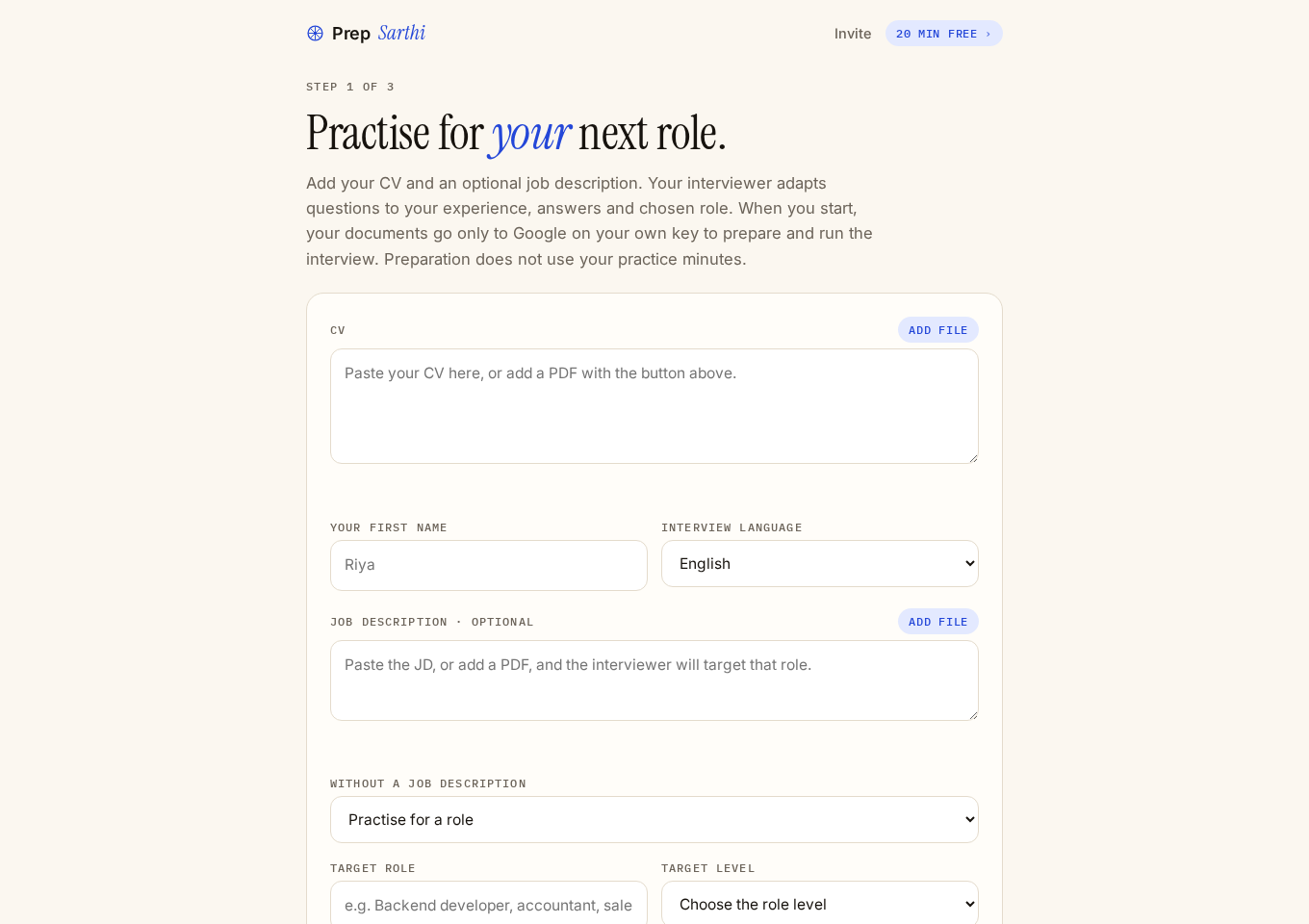
Open Prep Sarthi on your phone or computer. Paste your CV into the CV box, or choose Add file for a supported PDF or text file. Use the version you plan to send to the employer; leave out information you do not want the AI provider to process.
Add the job description if you have one. If you found the role in Apply Sarthi, use that role’s job description and your own CV. This is a manual step: there is no need to assume the apps have already transferred your documents.
Without a job description, select Practise for a role and enter your target role and level, or choose General CV practice. General practice cannot establish your fit for a specific employer. Choose your interview language, voice and session length, then continue.
2. Check your microphone
Your first mock is a free 7-minute demo, so there is nothing to set up before you start.
Allow microphone access and speak a short test sentence. Use headphones if the interviewer’s audio feeds back into your microphone. Check your connection before starting. Preparing the CV-and-role interview plan does not use your practice minutes; the app shows its preparation status.
3. Answer aloud, then handle the follow-up
Explain the work you actually did: the situation, your responsibility, the action and the result. If a question is unclear, say so. The interviewer can ask for more detail when your answer is vague or incomplete. That follow-up helps expose a weak area; it is not a prediction that your employer will ask the same question.
For your first session, focus on finishing a few clear answers rather than trying to sound memorised. Do not read a prepared script throughout the call. A useful practice session shows you where your explanation breaks down.
4. Turn the report into a practice list
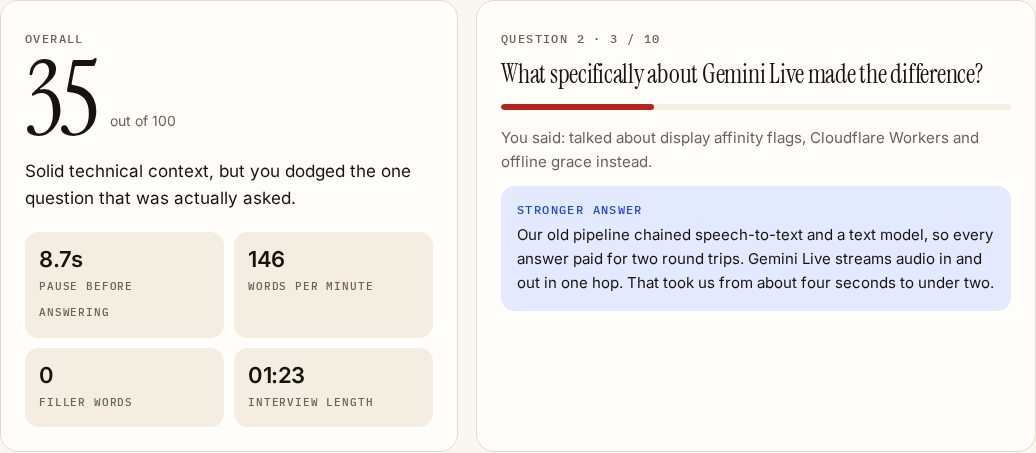
Review the feedback for the answers you struggled with, along with suggestions for stronger answers. Use comments on clarity, pace, pauses and filler words as practice cues. Check any AI-generated example against your own experience before using it.
- Choose one answer that lacked a clear example.
- Write down what you personally did and which details you can explain.
- Practise that answer aloud again, then try an unfamiliar follow-up.
- Judge improvement by the explanation you can now give, alongside the report.
Example: make a vague project answer specific
Illustrative teaching example: the exchange below was written for this guide. It is not a customer transcript or measured app result.
Question: Tell me about a project where you solved a difficult problem.
Weak answer: “I worked on a booking app and improved the backend. It was a team project.”
Useful follow-up: “Which part did you own, and how did you check that your change worked?”
The missing information is your contribution and evidence. A clearer structure is: “On [project], I owned [specific component]. We faced [problem]. I changed [action] and checked it using [test or observation]. The result was [outcome I can support].” Replace the brackets with facts from your own work. Do not invent a percentage, customer or team size to make the answer sound stronger.
If you cannot explain the technical decision yet, that is the next thing to study. Rewording alone will not fix a knowledge gap. For more examples, see self-introductions in English and Hinglish and strengths and weaknesses answers.
What you need and what it costs
- A phone or computer browser, a microphone and an internet connection.
- Your CV; a job description or target role helps focus the practice.
- A free 7-minute demo to start. After that, an optional one-time pass is ₹99 for 30 days. Paid access needs Google sign-in; the pass does not renew automatically.
Review the Prep privacy details before uploading personal information. For plan comparisons, see AI mock interview prices in India.
Practise for your next role
Use your own CV and job description. Start with the free 7-minute demo and one answer you want to improve.
Start your mock interview →